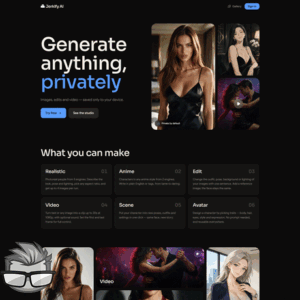
Ever had a dirty idea in your head and wished you could turn it into an image without learning a whole new set of software? That’s the appeal of Jerkify AI. It promises adult AI image creation in your browser, with tools for editing characters and turning still images into video.
I’m interested in whether it can make the creative process as straightforward as it sounds. After all, there’s nothing sexy about spending half an evening wrestling with settings.
Looking for an Adult AI Generator That Does More Than Make Images
Sometimes you want a specific scene, not another endless scroll through someone else’s idea of a good time. Maybe you’re picturing a photorealistic adult character in a hotel room, or an anime-style pinup with a playful outfit. A useful AI generator should help you get closer to that idea without making you jump between a dozen apps.
Creating the first image is only the start, though. What if you like the character but want a different setting? Or you’re happy with the picture and want to see it move? Having image creation, editing and animation in one place sounds handy but the results still need to be worth your time.
Can Jerkify AI Bring Those Ideas to Life?
Jerkify AI presents itself as a browser-based adult image and video generator, with photorealistic and anime styles among its advertised options. It also promotes character editing, restaging and image-to-video tools, so I’ll be looking at more than its ability to produce a pretty picture.
The site describes the experience as private, but private can mean different things on different platforms. I’ll keep an eye on the practical questions too: how the tools work, what they cost, and what happens to the content you create.
First, though, there’s one question that matters before any of those extras: can Jerkify AI make images you actually want to keep?
Creating Photorealistic and Anime Images
There’s a particular thrill in picturing someone and wondering, Can I actually bring that fantasy to life? Jerkify AI offers two ways to explore it: photorealistic images and anime-style creations.
Photorealism is the obvious choice if you want your character to look more like a real person. Anime opens the door to exaggerated expressions, vivid colors, and a style that doesn’t have to play by the rules of reality. Both give you room to experiment, but the result starts with what you put into the prompt.
My rule is simple: a good prompt is a creative brief, not a magic spell. I’d start with a clearly adult character, then add the details that matter most: appearance, setting, lighting, pose, and visual style.
- Photorealistic example: “An adult woman with short dark hair, wearing a silk robe, standing by a rain-streaked window, warm lamp light, realistic photography.”
- Anime example: “An adult anime woman with silver hair and a confident smile, wearing a black dress in a neon-lit lounge, vivid colors, detailed illustration.”
Those prompts give the generator something to work with without piling on so many details that the scene becomes a mess. If the first result isn’t what I imagined, I’d change one or two things at a time. A different lighting description or a clearer pose might get me closer without losing the parts I already like.
Of course, a tempting prompt is only half the story. I’d want to see whether Jerkify AI produces convincing faces and hands, follows instructions, and keeps a character’s features consistent across several generations. I’d also check how easy it is to adjust a result rather than starting from scratch. Those are the details that separate a fun experiment from a tool I’d actually keep using.
Editing Images and Restaging Characters
What happens when you love the character but the scene feels wrong? That’s where Jerkify AI’s advertised image-editing and character-restaging tools get interesting.
In principle, editing could help refine an existing creation, while restaging could place the same character in a different setting. I can imagine taking the woman from that rainy-window scene and trying her in a softly lit hotel lounge instead. The appeal is obvious: keep the character you like and explore a new mood.
But I wouldn’t assume every detail will carry over perfectly. I’d want to test whether the face, hair, clothing, and overall style stay recognizable, and whether the tools allow precise changes or simply generate a loose variation. It’s also worth checking which image formats and sources are supported before relying on an existing picture.
If I were uploading an image of a real person, I’d make sure I had their consent and that the intended use followed the platform’s rules. A character I created myself is a much simpler place to start.
Once the image looks right, there’s an even bigger question: can Jerkify AI make that still scene move and sound convincing while it does?
Turning Still Images Into Video With Sound
A great AI image can leave me wanting one more thing: movement. Maybe it’s a character turning toward the camera, a slow change in expression, or a scene that feels a little more alive.
Jerkify AI advertises an image-to-video tool with sound, so the idea is to take a still creation and give it another dimension. That sounds tempting, but I’d want to see how much control I actually get before calling it a game changer.
For example, if I start with a portrait and ask for a subtle head turn, does the character still look like the same person? Do the eyes and hands behave, or does the image start to wobble? Small movements can make or break the illusion.
As the saying I’d use here goes, “A little movement can make a picture feel like a moment.” But only if the result doesn’t pull me out of it.
Here’s what I’d check when trying the video feature:
- Motion quality: Whether movement looks smooth and the character stays consistent.
- Sound options: What kind of sound is available and whether I can choose or control it.
- Generation time: How long a clip takes to produce, especially if I need several attempts.
- Available controls: Whether I can guide the action or adjust things like clip length.
The advertised sound capability is intriguing, but I wouldn’t assume it means custom voices, dialogue, or a full soundtrack without checking the available settings first.
Navigating Jerkify AI in Your Browser
I like the idea of opening a browser and getting creative without wrestling with a software installation. Still, easy to access and easy to use aren’t always the same thing.
When I assess Jerkify AI’s interface, I’d look for a clear route from one tool to the next. If I make an image I like, can I find the editing option without hunting through menus? And when I’m ready to animate it, is the next step obvious?
A sensible flow would let me create a character, refine the image, and then try turning it into a clip without feeling like I’m starting over each time. I’d also want clear prompts and settings that explain what they do before I commit to a generation.
I haven’t verified the site’s account requirements or which devices and browsers it supports, so those are worth checking before getting started. And there’s another question I’d want answered before experimenting too freely: what does each attempt actually cost?
Pricing, Limits, and Value for Money
I love a good bargain, but an AI generator can look cheap right up until I start clicking that generate button like it owes me money.
I can’t confirm Jerkify AI’s current prices, free-trial options, or generation allowances here. Before paying, I’d check whether it offers a subscription, a credit system, or both—and exactly what each purchase includes.
The real question is how far your money goes. A plan might sound generous until you discover that video generations cost more than images, or that unused credits expire before you’ve had your fun.
Here’s what I’d want to know before whipping out my card:
- Can I try the tools for free, and does the trial require payment details?
- How many credits does an image, an edit, or a video generation use?
- Do failed generations or reruns still cost credits?
- Does a subscription renew automatically, and what happens to unused credits?
For example, if I need several attempts to get a character looking right and then spend more credits animating the image, the cost of one finished creation could be much higher than the price of a single generation. I’d check the current terms rather than assume every click is included.
Privacy, Content Rules, and Potential Drawbacks
“Private” is a sexy word when I’m making adult content. But I want to know what it actually means, not just take it out for dinner and hope for the best.
I can’t confirm Jerkify AI’s storage or sharing practices without checking its current policies and settings. Before uploading a photo or creating anything sensitive, I’d look for answers to a few questions:
- Are my creations visible only to me, or can they appear in a public gallery?
- How long are uploaded images and generated files stored?
- Can I delete my content, and does deletion include stored copies?
- Does the service use uploads or generations to improve its models?
I’d also read the content rules before getting carried away. I’d keep every depicted character clearly adult and avoid using a real person’s likeness without their informed consent. If a platform’s rules or privacy terms are unclear, I wouldn’t upload anything I’d be uncomfortable having stored or exposed.
There’s also the little matter of AI being AI. A prompt that sounds perfect in my head might produce an awkward pose, a face that changes between attempts, or motion that looks more haunted than hot. Those reruns can test both patience and budget.
So, when the clothes come off and the practical details are laid bare, does Jerkify AI still look tempting? That’s the question I’m getting to next.
My Final Take on Jerkify AI
Jerkify AI has an appealing pitch: make adult images, tweak your characters, and bring stills to life without wrestling with a complicated setup. If you want room to experiment with your fantasies in one browser-based platform, that’s a tempting package.