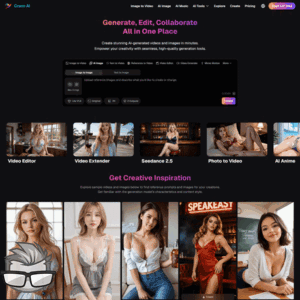
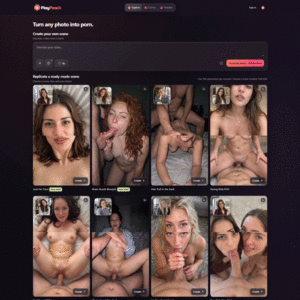
Ever had an idea for an adult image or video and wished you could make it yourself without spending a week learning complicated software? That’s the promise behind Crano AI: a browser-based creative studio for turning your ideas into adult content.
Looking for an AI Porn Generator That Gives You Creative Control?
Sometimes, scrolling through ready-made content just doesn’t cut it. You know the character you want, the look you’re after, and the mood you have in mind. The tricky bit is getting all those details into one image instead of settling for something close enough.
That’s where an AI porn generator can be appealing. Rather than picking from somebody else’s collection, you can describe your own scene and experiment with different styles. Fancy a glamorous adult character in a neon-lit city, or an anime-inspired look with a playful expression? You can start with an idea like that and see where it takes you.
I like the sound of that freedom. My imagination has never been short of ideas; it’s the technical skills that occasionally need a helping hand.
Meet Your Browser-Based Adult Content Studio
Crano AI pitches itself as a place to create NSFW images and videos straight from your browser. The idea is simple: describe what you want, choose from its advertised range of uncensored models, and adjust your approach until you get closer to the result you pictured.
There’s more to the pitch than typing a prompt and crossing your fingers. Crano also advertises editing options and tools for adding motion, which could make it useful if you want to shape an idea rather than accept the first result.
I’ll look at what those tools claim to do, along with the privacy and pricing details worth checking before you commit. First, though, how much control do you get when creating an image?
Creating NSFW Images with Crano AI
Ever had a scene in your head that no search result quite captures? That’s where Crano AI’s image generator comes in. You describe what you want, choose a model or visual style, and let the AI turn your idea into an image.
I like the potential here: you’re not just picking from someone else’s fantasy. You can describe an adult character’s appearance and expression, choose an outfit, and set the lighting and mood. Want a glamorous portrait with soft candlelight? Or an anime-inspired scene with bold colors? Those details give the generator a clearer direction.
For example, a prompt might start: “An adult woman in a black silk robe, standing beside a rain-streaked window, with cinematic lighting and a confident smile.” From there, you can change the outfit, setting, expression, or style to see what works for you.
Crano AI claims to offer more than 30 image and video models, with styles ranging from artistic and anime to cinematic and photorealistic. That’s an appealing range, though the result you get will depend on the model and how you phrase your prompt. If an image misses the mark, changing one or two details can be more useful than throwing the whole idea out.
Editing, Inpainting, and Expanding Your Images
Getting close to the image you want can be exciting—and a little frustrating when one detail feels off. Crano AI advertises inpainting to help revise a selected area without starting from scratch. For example, you could try changing an outfit or adjusting part of the background while keeping the rest of the scene.
Its outpainting feature takes the opposite approach: it extends an image beyond its original frame. A tight portrait, for instance, could become a wider scene with more of the room visible.
Neither tool guarantees a seamless result. Edits can look inconsistent, and generated details may need another attempt. Still, having a way to build on an image you already like beats rewriting the same prompt from zero.
And once you’ve created a scene worth keeping, what happens when you want it to move?
Bringing Adult Scenes to Life with AI Video
A great image can grab my attention, but a little movement can change the whole mood. Crano AI claims its prompt-to-video tools can turn a written idea into an adult clip, with control over character action, camera angles, and motion.
For example, I might try a prompt like: “An adult woman poses in a softly lit hotel room, turning toward the camera as it slowly moves closer.” It gives the generator a subject, a setting, and a clear action without asking it to guess what I want.
Crano AI also advertises 4K-plus output, clips up to 30 seconds long, and audio. Those are headline-grabbing claims, but I wouldn’t assume every model offers every option. Resolution, clip length, sound, and the quality of the motion may depend on the model and settings I choose.
Directing Motion, Extending Clips, and Creating Loops
I like having a say in how a scene unfolds. A slow camera pan can reveal a setting, while a zoom can bring attention to an expression. Crano AI advertises both, along with tools for extending videos and creating loops.
That opens up some interesting possibilities. I could start with a short clip, then try extending the action instead of squeezing everything into a few seconds. Or I could create a loop for a scene I want to play continuously. The trick is keeping the movement simple enough that the result feels natural rather than jerky.
Of course, creative freedom is only part of the picture. When I’m making personal adult content in a browser, I also want to know: who can see it, and what happens to it afterward?
Ease of Use, Privacy, and Creative Freedom
I like the idea of a creative studio that lives in my browser. There’s no software to install or technical setup standing between me and a new idea. Open the site, choose what I want to make, and get to work. That’s a lot more appealing than spending an evening fighting with settings.
Crano AI also claims to offer unrestricted generation, secure processing, and no public galleries. That sounds promising if I’d rather keep my creations to myself. But “not public” doesn’t automatically mean “completely private.” Files may still be stored, processed by third parties, or kept for a period after I delete them.
Before uploading anything personal, I’d check the privacy policy for a few details:
- Storage: How long are uploads and generated files kept?
- Deletion: Can I remove my files, and when are they actually deleted?
- Data use: Could my prompts or images be used to train models or shared with service providers?
- Content rules: What does “unrestricted” mean, and what material is still prohibited?
For example, if I upload a private photo as a reference, I want to know what happens to that photo after the job is done. Crano’s claims are worth considering, but I wouldn’t treat them as independently verified protections without checking the terms.
Pricing and Practical Considerations
Nothing kills the mood quite like finding out that the feature I wanted costs more than I expected. Before paying for Crano AI, I’d check the current prices and see whether there’s free access or a trial. I’d also look at how much work each plan actually buys me.
- Credits: How many does an image cost, and how much more does a video use?
- Limits: Are there daily caps, queues, or restrictions on resolution and clip length?
- Models: Are the tools I want included, or do they require a higher-priced plan?
- Commercial rights: Can I sell or publish what I create, and are there conditions attached?
- Billing: Does the plan renew automatically, and what happens to unused credits?
Here’s a practical test: if I’m planning to make ten video clips, I’d check the credit cost for my preferred model and settings before choosing a subscription. A low monthly price doesn’t tell me much if those clips eat through the allowance in an afternoon.
I’d also stick to consenting adults’ likenesses and check the laws that apply where I live and publish. If I plan to use someone’s photo or recognizable appearance, getting clear permission matters—even if the finished content is meant to stay private.
So, after the promises and practical checks, does Crano AI look like a creative playground worth signing up for? That’s the question I’ll tackle next.
My Take on Crano AI
Crano AI sounds like a tempting playground for anyone who wants more say in their adult content. I can see the appeal for creators who want to build their own images, bring them into motion, and polish the results without hopping between a bunch of programs.
But a long feature list doesn’t tell me how good the finished content will look. I’d treat the big promises as possibilities, not guarantees, until I’d seen what the tools could produce for the price.
Before signing up, I’d check:
- What the current plans cost and how quickly credits are used.
- Whether the privacy and data-retention terms feel comfortable.
- Which models and features are available on the plan I’m considering.
- Whether I can use the finished content commercially, if that matters to me.
My verdict? Crano AI could be a good fit if you like experimenting and want image, video, and editing tools in one place. Just make sure the results—and the terms—are right for you before you commit.