You're visiting from Ireland. This website is intended for adults aged 18 or older.
PornGeek.com is a review and information site — we do not host, stream, or distribute any explicit content.
We list and review third-party adult websites and display censored thumbnails for identification purposes only.
Some external sites we review may require age verification under Irish law or other local regulations. You may be asked to verify your age before accessing them.
By continuing, you confirm that you are 18+ and legally allowed to view this content under Irish law.
PornGeek.com è una piattaforma di recensioni informative che non ospita, trasmette né distribuisce contenuti espliciti.
Recensiamo siti web per adulti di terze parti e mostriamo miniature censurate solo a scopo identificativo.
I link possono portare a siti esterni che contengono materiale sessualmente esplicito e potrebbero richiedere una verifica dell'età in base alla tua posizione geografica.
In conformità con le normative italiane in vigore dal 12 novembre 2025, alcuni siti potrebbero richiedere la verifica dell'età prima di consentire l'accesso.
Continuando, confermi di avere almeno 18 anni e di essere legalmente autorizzato a visualizzare questi contenuti.
Sie besuchen diese Seite aus Deutschland. Diese Website ist ausschließlich für Erwachsene ab 18 Jahren bestimmt.
PornGeek.com ist eine informative Bewertungsplattform und hostet, streamt oder verbreitet keine expliziten Inhalte.
Wir bewerten Drittanbieter-Websites für Erwachsene und zeigen zensierte Vorschaubilder ausschließlich zur Identifikation.
Links können zu externen Webseiten führen, die sexuell explizites Material enthalten und möglicherweise eine Altersverifikation erfordern – abhängig von Ihrem Standort.
Mit dem Fortfahren bestätigen Sie, dass Sie 18+ sind und rechtlich berechtigt sind, diese Inhalte anzusehen.
You're visiting from Australia. This website is intended for adults aged 18 or older.
PornGeek.com is a review and information site — we do not host, stream, or distribute any explicit content.
We list and review third-party adult websites and display censored thumbnails for identification purposes only.
Some external sites we review may require age verification under Australian law or other local regulations. You may be asked to verify your age before accessing them.
By continuing, you confirm that you are 18+ and legally allowed to view this content under Australian law.
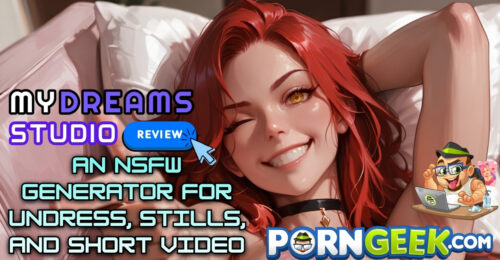
People looking for an NSFW generator usually want one of three things: a new uncensored picture from a prompt, an undress edit of a photo they already have, or a short NSFW video that still looks like that picture. My Dreams Studio is an 18+ browser studio that keeps those three jobs in one account. Face swap is a fourth control on the same still, so a set does not have to jump across four websites.
What this NSFW AI image generator actually makes
The generator does text-to-image and image-to-image. Realistic, uncensored nudes are one look. Anime, hentai, and illustrated scenes are another. Pick the look before you spend a free image. A realistic body and a drawn scene do not come out of the same setting, and switching after the fact wastes the try.
The frame is set first: square, portrait, landscape, 9:16, or 16:9. Style, pose, character, and scene sit next to the prompt. Image-to-image starts from a still you already like and pushes the outfit, the body, or the room, instead of rolling a brand-new person. If the next picture has to follow the last one, advanced settings open a negative prompt, sampler, CFG, steps, and seed.
A free account includes a limited number of NSFW images. That is enough to see whether the face stays readable. Paid packs are what shorten the wait.
Undress, without redrawing the person
Undress on this NSFW generator is an edit of one photograph. You upload a still you own, or one you just generated, and the tool restyles the clothes and the body in that frame. Presets include nude, topless, lingerie, and bikini, plus stronger looks such as shibari. A clear close-up or a mid-range shot comes out cleaner than a wide photo full of furniture.
The useful part is that the face you already chose stays in the edit. Use a photo you shot, generated, or have permission to change. The studio does not allow an undress of a real person without consent. Running every preset on the same still usually softens the face, so stop when the frame looks like the person you meant.
From that still to a short NSFW video
When the picture is right, Video can move it. Attach the still, describe the motion, the camera, and the scene, and the studio renders a short NSFW clip. Skip the still if you would rather start from text alone. The panel shows motion presets, a 5-second option, and resolution choices such as 480p, so the export settings are not hidden in a second tool.
Video is a pool of seconds, not a monthly plan. The smallest one-time pack is $9.99 and includes up to 500 images and up to 83 seconds of video. Larger packs add more images and more seconds if you are cutting several clips. On paid plans a typical generation is about 30–45 seconds, on faster GPUs than the free queue.
Face swap on a picture you can use
Face swap stays on the image you uploaded. One mode replaces the full head: face, hair, and ears. The other replaces only the face and leaves the hair and head shape as they were. It belongs on a still you have the right to edit.
What the free try includes
You can test the NSFW generator, including the undress edit, before you pay. There is no subscription. When the free images run out, packs are one-time: Basic is $9.99 for up to 500 images, up to 500 chat messages, and up to 83 seconds of video. Larger packs add volume, parallel generations, premium styles, and commercial use.
If you want one NSFW generator for an uncensored still, an undress, and a short clip, spend the free images first. Buy the pack only after you have a result you would keep.