You're visiting from Ireland. This website is intended for adults aged 18 or older.
PornGeek.com is a review and information site — we do not host, stream, or distribute any explicit content.
We list and review third-party adult websites and display censored thumbnails for identification purposes only.
Some external sites we review may require age verification under Irish law or other local regulations. You may be asked to verify your age before accessing them.
By continuing, you confirm that you are 18+ and legally allowed to view this content under Irish law.
PornGeek.com è una piattaforma di recensioni informative che non ospita, trasmette né distribuisce contenuti espliciti.
Recensiamo siti web per adulti di terze parti e mostriamo miniature censurate solo a scopo identificativo.
I link possono portare a siti esterni che contengono materiale sessualmente esplicito e potrebbero richiedere una verifica dell'età in base alla tua posizione geografica.
In conformità con le normative italiane in vigore dal 12 novembre 2025, alcuni siti potrebbero richiedere la verifica dell'età prima di consentire l'accesso.
Continuando, confermi di avere almeno 18 anni e di essere legalmente autorizzato a visualizzare questi contenuti.
Sie besuchen diese Seite aus Deutschland. Diese Website ist ausschließlich für Erwachsene ab 18 Jahren bestimmt.
PornGeek.com ist eine informative Bewertungsplattform und hostet, streamt oder verbreitet keine expliziten Inhalte.
Wir bewerten Drittanbieter-Websites für Erwachsene und zeigen zensierte Vorschaubilder ausschließlich zur Identifikation.
Links können zu externen Webseiten führen, die sexuell explizites Material enthalten und möglicherweise eine Altersverifikation erfordern – abhängig von Ihrem Standort.
Mit dem Fortfahren bestätigen Sie, dass Sie 18+ sind und rechtlich berechtigt sind, diese Inhalte anzusehen.
You're visiting from Australia. This website is intended for adults aged 18 or older.
PornGeek.com is a review and information site — we do not host, stream, or distribute any explicit content.
We list and review third-party adult websites and display censored thumbnails for identification purposes only.
Some external sites we review may require age verification under Australian law or other local regulations. You may be asked to verify your age before accessing them.
By continuing, you confirm that you are 18+ and legally allowed to view this content under Australian law.
You close the tab. You feel that small, private satisfaction, the digital equivalent of putting the dirty laundry in the hamper before company arrives. Incognito mode handled it. Nobody saw anything. You are clean. You are not clean. In December 2025, researchers tied a data exposure to Pornhub’s embedded Mixpanel analytics, and the numbers that came out were not subtle: roughly 201 million records. Not login passwords. Behavioral fingerprints. What people watched. How long. When. On what kind of device. That data was flowing to a third-party analytics company the entire time, while users trusted that a private browsing window was doing something protective. It was not.The story did not get the headline space it deserved. Most people who use adult sites never heard about it. But if you have ever closed an incognito tab and felt relieved, this is the article we wish had existed before any of that data went anywhere. Here at PornGeek, we spent time working through the actual research on adult site tracking: the TrackingExposed GDPR filings, the AI Forensics work on how viewer data moves through ad networks, the Electronic Frontier Foundation’s fingerprinting documentation, and the legislative pile-on that is currently reshaping how these sites operate in the US. What follows is what we found, organized so that you can actually do something about it.
What Incognito Mode Actually Does (And What It Does Not)
Private browsing has one job and it does that job well. When you close an incognito session, your browser deletes the local history, the session cookies, and anything that session added to autofill. The tab goes away. That is the complete list of things incognito mode protects you from.It does not hide your IP address from any site you visit. It does not prevent your internet service provider from logging which domains you connect to. It does not block tracker scripts embedded in the pages you loaded. It does not stop a site from building a behavioral profile on your browser based on the signals your device broadcasts just by rendering a webpage. It does not prevent your behavioral data from leaving the site and going to a third-party analytics service.Google’s own incognito startup screen says this. Firefox’s private browsing screen says this too. The browsers are not hiding it from you. You just stopped reading disclaimers fifteen years ago and never went back. Fair enough. But now you know.
The Five Ways Porn Sites Actually Know It Is You
Canvas Fingerprinting
When your browser renders a page, it uses your device’s GPU. Canvas fingerprinting works by having a tracking script instruct your browser to draw an invisible image and then report back exactly how the GPU rendered it. The rendering result varies subtly based on your graphics hardware, installed fonts, and driver version. That variation produces a number, and that number is yours alone. It does not change when you clear cookies. It does not change in incognito mode. It persists across sites that share the same fingerprinting library, which means the same identifier can follow you from one tube site to another without any cookie ever being set.The Electronic Frontier Foundation built a tool called Cover Your Tracks specifically to show you how unique your browser signature is. Most people who run it find out they are identifiable among hundreds of thousands of tested users. That is not a quirk of their particular hardware setup. That is the tracking system working exactly as intended.
Browser Metadata
Beyond the GPU signature, your browser reports a long list of information every time it loads a page. Your user agent string announces your exact browser version and operating system. Your screen resolution, color depth, and device pixel ratio narrow the field further. The fonts installed on your system, your active plugins, your timezone, your system language, and your regional settings all combine into a profile that is considerably more specific than you want it to be. None of this requires cookies. None of it changes in incognito mode. It is baked into how browsers communicate with servers, because most of those signals exist for legitimate purposes like rendering pages correctly on your device.
IP Address Logging
Your IP address is logged by every server you connect to. This is basic network function, not something adult sites invented. But for porn sites specifically, an IP address tied to a session history can reveal your approximate location, your ISP, and over time, your identity if that data surfaces in a breach or reaches someone with a subpoena. Major tube sites retain IP logs for periods set by their legal teams. How long varies by jurisdiction. That it happens does not vary at all.
Cookie Respawning and Evercookies
Standard cookies are easy to delete. That is why they are not the only storage mechanism in play. Evercookie techniques store the same tracking identifier in multiple locations simultaneously: standard HTTP cookies, local storage, IndexedDB, cache storage, and in some implementations, the ETags your browser uses for caching static resources. When you delete your cookies, the site checks the surviving storage locations, finds your old identifier, and writes it back into the cookie jar. You think you cleared your data. You did a load of laundry with a pen in the pocket.Samy Kamkar published the original evercookie proof of concept years ago and it is widely referenced in browser privacy research. The adult industry, which has always been aggressive about advertising technology because advertising is where the money comes from, adopted variations of it early.
Third-Party Tracker Networks
This is where the Mixpanel story matters most. Major tube sites load third-party JavaScript from analytics and advertising companies as part of their standard page stack. That JavaScript executes in your browser and transmits data to servers you have never directly connected to. TrackingExposed, a European privacy research group, documented Pornhub’s tracker stack through GDPR complaints and found that user behavioral data was being shared with multiple third parties without meaningful consent infrastructure. AI Forensics, which has partnered with TrackingExposed on this research, published findings showing how the data flowing out of adult sites via tracker pixels maps onto identifiable behavioral profiles.The December 2025 Mixpanel exposure made this concrete in a way that years of academic research had failed to. Two hundred and one million records is not a theoretical privacy risk. That is a lot of people who believed they were anonymous and were not.
The State Block and What a VPN Actually Fixes
Pornhub has gone dark in roughly 23 US states because of age verification law requirements. Rather than implement verification systems, the site chose to block traffic from those states entirely. When that happened, VPN searches spiked, and Reddit filled up with threads about which service to use to get around the block. The advice was generally fine as far as it went, which was not very far.A VPN solves two real problems in this context. It hides your IP address from the site you are visiting, so Pornhub sees a server in Amsterdam rather than your actual ISP address. And it hides which sites you are visiting from your ISP, so your internet provider cannot log that you connected to Pornhub. For getting around a geographic block based on your apparent location, those two things are exactly what you need, and a VPN delivers them.What a VPN does not do is stop canvas fingerprinting. It does not change your browser’s GPU signature. It does not prevent the site from profiling your browser metadata. It does not block third-party tracker scripts from loading and transmitting your behavioral data. If Pornhub’s Mixpanel tracker was active when you connected through your VPN, your session data still went to Mixpanel. The VPN just meant Mixpanel logged a different IP address for the session.We are not telling you not to use a VPN. We are telling you to understand what you are buying. A VPN is one layer of a privacy setup, not the whole thing.
The Ten-Minute Privacy Setup That Actually Works
Everything here is free or inexpensive, and none of it requires you to understand how networking works at a deep level. You configure it once.
Switch to Brave
Brave is built on the same Chromium base as Google Chrome, so your existing web experience carries over without you noticing the difference. What changes is that Brave ships with fingerprint randomization turned on by default. Every time you open a new private window, Brave serves a slightly different canvas fingerprint to any script that requests one. This does not make you invisible, but it makes you substantially harder to track across sessions because the identifier changes each time. An evercookie system that tries to re-identify you after you clear your cookies will come back with a fingerprint that no longer matches what it stored.Brave also ships with its own ad and tracker blocker, which handles most of the garbage that comes packaged with adult site ad networks without any configuration on your end. You can get it at brave.com. Import your bookmarks from Chrome during setup. You will not notice the switch in your daily browsing, except that pages load faster.
Add uBlock Origin If You Stay on Firefox
Firefox is a legitimate alternative and it has strong privacy defaults on its own. If you stick with Firefox, install uBlock Origin. It is the most effective content blocker available and costs nothing. The default filter lists handle most tracker pixels and analytics scripts. Adding the Annoyances lists in uBlock’s settings takes it further. One thing worth knowing: uBlock Origin on Chrome is losing core functionality as Google phases in its Manifest V3 extension rules, which restrict what content blockers can actually intercept. Firefox and Brave are better platforms for it going forward, and this gap is only going to widen.
Turn On DNS-over-HTTPS
Every time you visit a site, your browser does a DNS lookup before loading anything. This lookup asks a directory service what IP address corresponds to the domain name you typed. By default, that query goes out unencrypted over your ISP’s servers, which means your internet provider can see every domain you request even if it cannot see the content of your sessions. That is a separate log of your browsing behavior that exists entirely outside your browser history and entirely outside what clearing your cookies does anything about.DNS-over-HTTPS encrypts those queries and routes them through a resolver that is not your ISP. Cloudflare’s 1.1.1.1 is the fastest and most widely used option. NextDNS is the better pick if you want custom blocking rules on top of encryption. In Firefox, the setting is under Settings, then Privacy and Security, then scroll to the DNS over HTTPS section near the bottom of the page. In Brave, it is under Settings, then Privacy and Security, then Security. The whole configuration takes about two minutes.
Pick a VPN That Is Not Garbage
If you want IP coverage, here are the criteria that actually matter. The provider should have a no-logs policy that has been independently audited by a third party, not just stated on a marketing page. It should be incorporated in a jurisdiction outside the reach of US or EU law enforcement data-sharing agreements. It should accept payment methods that do not tie back to your identity. And it should not be owned by a company with a documented history of monetizing user data.Mullvad meets all of those criteria and accepts cash. ProtonVPN is the other name that holds up to scrutiny consistently. Both have been audited. Both are reasonably priced. The free VPN you found in the App Store is almost certainly worse than no VPN at all, because the business model of free VPN services tends to involve selling the data they collect from your sessions. The irony of using a privacy tool that funds itself by selling your data is the kind of thing that keeps security researchers employed.
The TAKE IT DOWN Act and Why the Landscape Is Shifting Again
The TAKE IT DOWN Act passed the US Senate in early 2026. It targets non-consensual intimate imagery, including AI-generated deepfakes, and requires platforms to remove reported content within 48 hours or face federal liability. The compliance deadline for platforms is May 19, 2026, which at the time this article goes up is roughly three weeks out.If you only watch legal content, the direct impact on you is limited. The law targets distributors of non-consensual material, not viewers of consenting adult content. But this legislation is part of a broader regulatory push that is already forcing adult sites to make hard decisions about how they operate in the United States, and those decisions almost universally involve collecting more information about users, not less.The state-level age verification laws that blocked Pornhub in 23 states are the clearest version of this pattern. To stay accessible in compliant states, a site needs to verify that its users are adults. Verification requires collecting something: government ID data, biometric data, or data passed through a third-party age verification service. Any system that verifies your age can also log your identity. That is not speculation about intent. That is what compliance infrastructure does by design.The regulatory direction is clear and it is not moving toward less data collection. A browser setup that makes you technically difficult to track is the appropriate response to a landscape that is actively tightening around the sites you use.
The Bottom Line
The “geek” in our name has always meant something. It means we do the reading that most people skip. We find out how things actually work and share it so you can make better choices with that information. The people running major tube sites have entire engineering teams whose job is to understand their audience at a granular level. “Their audience” includes your browser signature and your behavioral history. That has been true for years. The December 2025 breach just made it visible in a way that was hard to ignore.The fix is not complicated. Brave browser handles the fingerprinting problem. uBlock Origin or Brave’s built-in blocker handles the tracker network problem. DNS-over-HTTPS handles the ISP logging problem. An audited no-logs VPN handles the IP problem. That stack addresses the meaningful vulnerabilities without requiring you to become a network security professional. You set it up once.If this was useful, bookmark it and pass it along to whoever in your life is still trusting incognito mode to do the job. We cover this kind of thing regularly over at PornGeek.com, because reading the fine print on the internet’s seedier infrastructure is kind of our thing.







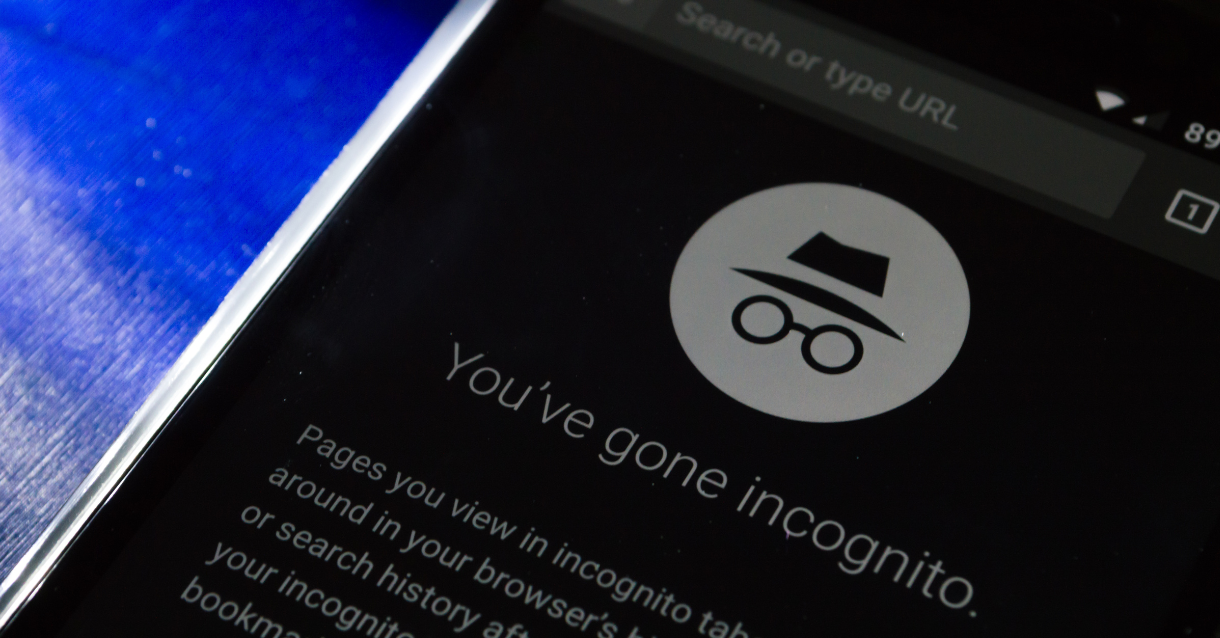 Private browsing has one job and it does that job well. When you close an incognito session, your browser deletes the local history, the session cookies, and anything that session added to autofill. The tab goes away. That is the complete list of things incognito mode protects you from.It does not hide your IP address from any site you visit. It does not prevent your internet service provider from logging which domains you connect to. It does not block tracker scripts embedded in the pages you loaded. It does not stop a site from building a behavioral profile on your browser based on the signals your device broadcasts just by rendering a webpage. It does not prevent your behavioral data from leaving the site and going to a third-party analytics service.Google’s own incognito startup screen says this. Firefox’s private browsing screen says this too. The browsers are not hiding it from you. You just stopped reading disclaimers fifteen years ago and never went back. Fair enough. But now you know.
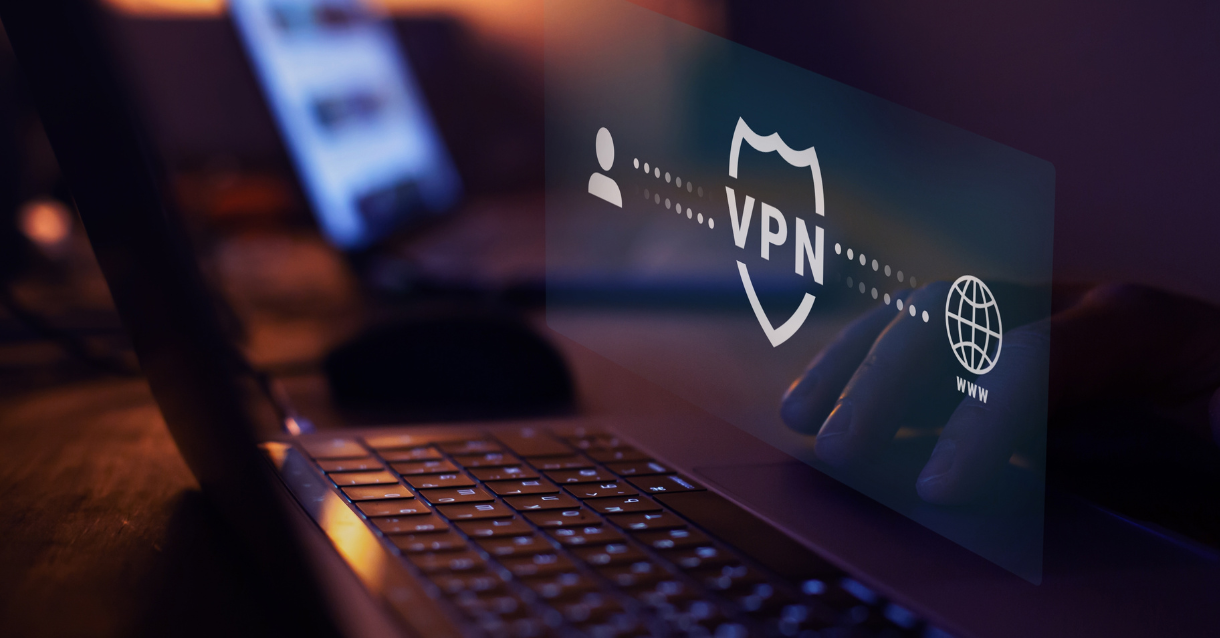 Pornhub has gone dark in roughly 23 US states because of age verification law requirements. Rather than implement verification systems, the site chose to block traffic from those states entirely. When that happened, VPN searches spiked, and Reddit filled up with threads about which service to use to get around the block. The advice was generally fine as far as it went, which was not very far.A VPN solves two real problems in this context. It hides your IP address from the site you are visiting, so Pornhub sees a server in Amsterdam rather than your actual ISP address. And it hides which sites you are visiting from your ISP, so your internet provider cannot log that you connected to Pornhub. For getting around a geographic block based on your apparent location, those two things are exactly what you need, and a VPN delivers them.What a VPN does not do is stop canvas fingerprinting. It does not change your browser’s GPU signature. It does not prevent the site from profiling your browser metadata. It does not block third-party tracker scripts from loading and transmitting your behavioral data. If Pornhub’s Mixpanel tracker was active when you connected through your VPN, your session data still went to Mixpanel. The VPN just meant Mixpanel logged a different IP address for the session.We are not telling you not to use a VPN. We are telling you to understand what you are buying. A VPN is one layer of a privacy setup, not the whole thing.
 The TAKE IT DOWN Act passed the US Senate in early 2026. It targets non-consensual intimate imagery, including AI-generated deepfakes, and requires platforms to remove reported content within 48 hours or face federal liability. The compliance deadline for platforms is May 19, 2026, which at the time this article goes up is roughly three weeks out.If you only watch legal content, the direct impact on you is limited. The law targets distributors of non-consensual material, not viewers of consenting adult content. But this legislation is part of a broader regulatory push that is already forcing adult sites to make hard decisions about how they operate in the United States, and those decisions almost universally involve collecting more information about users, not less.The state-level age verification laws that blocked Pornhub in 23 states are the clearest version of this pattern. To stay accessible in compliant states, a site needs to verify that its users are adults. Verification requires collecting something: government ID data, biometric data, or data passed through a third-party age verification service. Any system that verifies your age can also log your identity. That is not speculation about intent. That is what compliance infrastructure does by design.The regulatory direction is clear and it is not moving toward less data collection. A browser setup that makes you technically difficult to track is the appropriate response to a landscape that is actively tightening around the sites you use.